Screen Veil — for Windows, Linux, Android and iPhone/iPad
FREE
Step away from your computer without shutting anything down. Screen Veil covers every connected screen with a privacy veil and blocks keyboard and mouse input on the spot — while you stay signed in and your programs keep running.
What you get
- One double-click to install and run — no technical setup.
- You set the admin password yourself at first run; it is stored only as a protected hash, never in plain text.
- Covers every monitor; only the admin password (or an authorised remote unlock) lifts the veil.
- A supervisor restarts the veil if it ever stops, and a tamper-evident activity log is kept.
Platforms — the honest status of each
- Windows — free download. The finished one-click package exists and passed its full test gate under emulation (227 of 227 checks). Its very first run on a real Windows machine is still being confirmed — we say so plainly rather than claim otherwise. The package is not code-signed yet, so Windows shows a one-time warning on first run ("More info → Run anyway"). Like every lock screen, it cannot block the secure Ctrl+Alt+Del screen itself.
- Linux — free download. A one-click package, the twin of the Windows one: extract the zip, start it with one action, and set your admin password at first run. It uses your system's Python 3 (with tkinter). Full input blocking on X11 sessions; on Wayland it is a fullscreen cover only — that limit is stated in its manual, not hidden. The packaged launcher passed a full end-to-end run on Linux (setup → veil → remote unlock, 15 of 15 steps).
- Android (phones and tablets) — app in preparation, not yet released. The native Android app is built as complete source (veil overlay, admin password set at first run, no default), but it has not been compiled into an installable file yet, so there is no Android download today and we will not pretend there is. When it ships, its manual will state the stock-Android limits plainly: some system gestures are reserved by Android, and full kiosk lockdown requires device-owner mode.
- iPhone / iPad — no system veil exists, and none is claimed. Apple does not allow any third-party app to cover or lock the whole screen, so there is no Screen Veil app for iOS. What we provide instead is a free setup guide for Guided Access — Apple's own built-in feature that restricts the device to a single app — included in the manual.
Test status — stated plainly
- Product test gates: 204/204 core checks, and 227/227 for the full gate including the Windows package (gate reports, 2026-11-13).
- Virtual-environment lab (2026-11-13): 32 of 32 checks passed. The lab initially found one real defect — a remote-unlock command captured from your own machine could be replayed after the veil restarts, inside a 5-minute window. It is fixed: the veil now remembers used unlock codes on disk and refuses any command minted before it started; the lab re-run passes 32/32 (four consecutive runs), and the downloads here are the fixed packages. Everything else passed: first-run password setup, wrong-password lockout, signed remote unlock, rogue unlock refused, network cut, supervisor restart, reboot.
Checksums (MD5) of the downloads on this page right now: Windows zip 24c2ca8776a38b6cd1b70f1ceadbdb76 · Linux zip 9c665cf66640de248a655916642adbe3
Free
Screen Veil is a free download: free to download and free to use — there is no trial period and nothing to buy, so it never deactivates on you, and nothing on your computer is harmed or locked away.
Download Screen Veil — free
Windows is our lead platform. The Linux package follows the same design (X11 full veil; on Wayland it covers the screen only). The WINNUX version arrives with our own operating system. Unzip, run the launcher, and set your admin password on first run — there is no default password. Prefer email? Scan the code below and we will reply with the download.
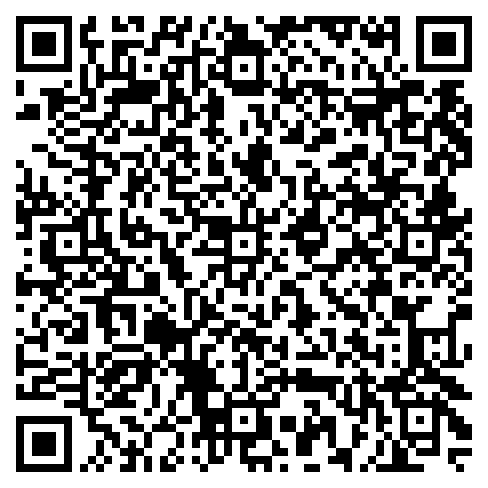
Scan to get it free — we reply with the download. Free means free: nothing to buy, no trial, no catch.